
2 current variants
Acacia Sign Recipe
Acacia Sign is produced through 2 tracked recipe variants across Java and Bedrock. This guide turns the registry data into exact placement instructions and material totals for common batch sizes.
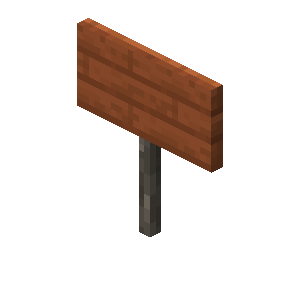 Acacia Sign Recipe
- Output
- Acacia Sign
- Variants
- 2
- Editions
- Java & Bedrock
- Stations
- Crafting Table
How this Acacia Sign recipe works
- One operation yields 3 Acacia Signs, depending on the selected variant. Batch totals below always round up to a whole operation.
- Crafting Table is the required workstation; a player inventory grid is only sufficient when the displayed pattern fits and the game accepts that station type.
- Acacia Sign Recipe has 2 current variants. Choose by edition, available input and station instead of assuming that every displayed option works in the same game.
Java · Crafting Table · Variant 1
Ingredients
Crafting pattern
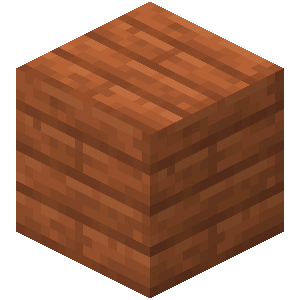

Step-by-step instructions
- Collect 6 × Acacia Planks, 1 × Stick for one operation.
- Open the Crafting Table and reproduce the shown pattern without rotating or rearranging a shaped recipe.
- Take 3 × Acacia Sign from the output slot.
Read the fixed pattern as top row (left: Acacia Planks; centre: Acacia Planks; right: Acacia Planks), middle row (left: Acacia Planks; centre: Acacia Planks; right: Acacia Planks), bottom row (centre: Stick).
Batch planner
| Target | Operations | Actual output | Materials |
|---|---|---|---|
| 16 | 6 | 18 | 36 × Acacia Planks, 6 × Stick |
| 64 | 22 | 66 | 132 × Acacia Planks, 22 × Stick |
Bedrock · Crafting Table · Variant 2
Ingredients
- 6 × Planks
- Stick
Crafting pattern
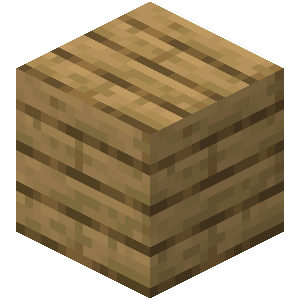
Step-by-step instructions
- Collect 6 × Planks, 1 × Stick for one operation.
- Open the Crafting Table and reproduce the shown pattern without rotating or rearranging a shaped recipe.
- Take 3 × Acacia Sign from the output slot.
Read the fixed pattern as top row (left: Planks; centre: Planks; right: Planks), middle row (left: Planks; centre: Planks; right: Planks), bottom row (centre: Stick).
Batch planner
| Target | Operations | Actual output | Materials |
|---|---|---|---|
| 16 | 6 | 18 | 36 × Planks, 6 × Stick |
| 64 | 22 | 66 | 132 × Planks, 22 × Stick |
Java vs Bedrock recipe check
Java and Bedrock are both represented, but their normalized variant sets are not identical. Use the heading on each variant before copying its layout.